HouseFilez is the job file your whole operation runs on. Crews fill out daily worksheets in the field; the office turns them into invoices in one tap. Scheduling, payroll, permits, documents and customer records live right beside them — instead of in six different apps.
Jobs get done by more than one company. HouseFilez gives everyone on the job their own view — and lets you share exactly as much as each one should see.
General Contractors
Run every job from one screen
Customers, schedules, master spreadsheets, estimates and invoices — and share each job with the owner, the PM and your subs, each with their own access.
Sub-Contractors
Work your trade, skip the phone tag
Accept scheduled jobs shared with you, log daily worksheets with your crew's time and materials, and invoice the GC the moment the work is filed.
Property Managers
Every unit's history, on file
Manage multifamily units, share access with the contractors who service them, and keep permits, equipment and service records per property.
Home Owners
Your home's complete service record
Keep up to four properties, share them with your contractors, and hold onto every invoice, permit, manual and photo for as long as you own the home.
What's inside
From the first knock to the final invoice.
Everything below is one subscription, one login, one place — on the phone in the field and the desktop in the office.
Daily worksheets
Crews log work details, clock-in/out labor and materials on their phones — with auto PO numbers, photos, quick-add material buttons and templates built for your trade.
One-tap invoicing
Convert a filed worksheet — or a whole batch — into an invoice with the work description, exact labor and marked-up materials already itemized. Tax calculated on materials automatically.
Get paid online
Estimates, proposals and invoices with your branding, e-signatures, card payments, partial payments with full history — and a balance that updates itself.
Scheduling that talks back
A Google-style calendar and task list for the whole company, a techs-per-day week view, and schedule requests subs can accept or decline — plus two-way Google Calendar sync.
Timeclock & payroll
Daily sign-in for payroll, a weekly time sheet for the whole roster, automatic payroll report emails, and per-employee pay records tracked in Books.
Filing cabinet & tags
Filed worksheets and documents, searchable by date, team member, crew, contractor, customer, address or your own tags. Nothing gets lost in a truck cab again.
Trade-scoped sharing
Share a job with a sub and pick exactly which trades they can touch — an electrician can't wander into the plumbing scope, and vice versa. Enforced server-side.
Permits & compliance
Permits pulled per property with expiration warnings, contractor packages holding W-9s and insurance certificates, and email alerts a week before anything lapses.
Books & team income
Fiscal-year setup, billed labor per team member and crew, hire dates, positions and pay types — the numbers you need when it's time to talk raises or commission.
See it in action
This is what you're getting.
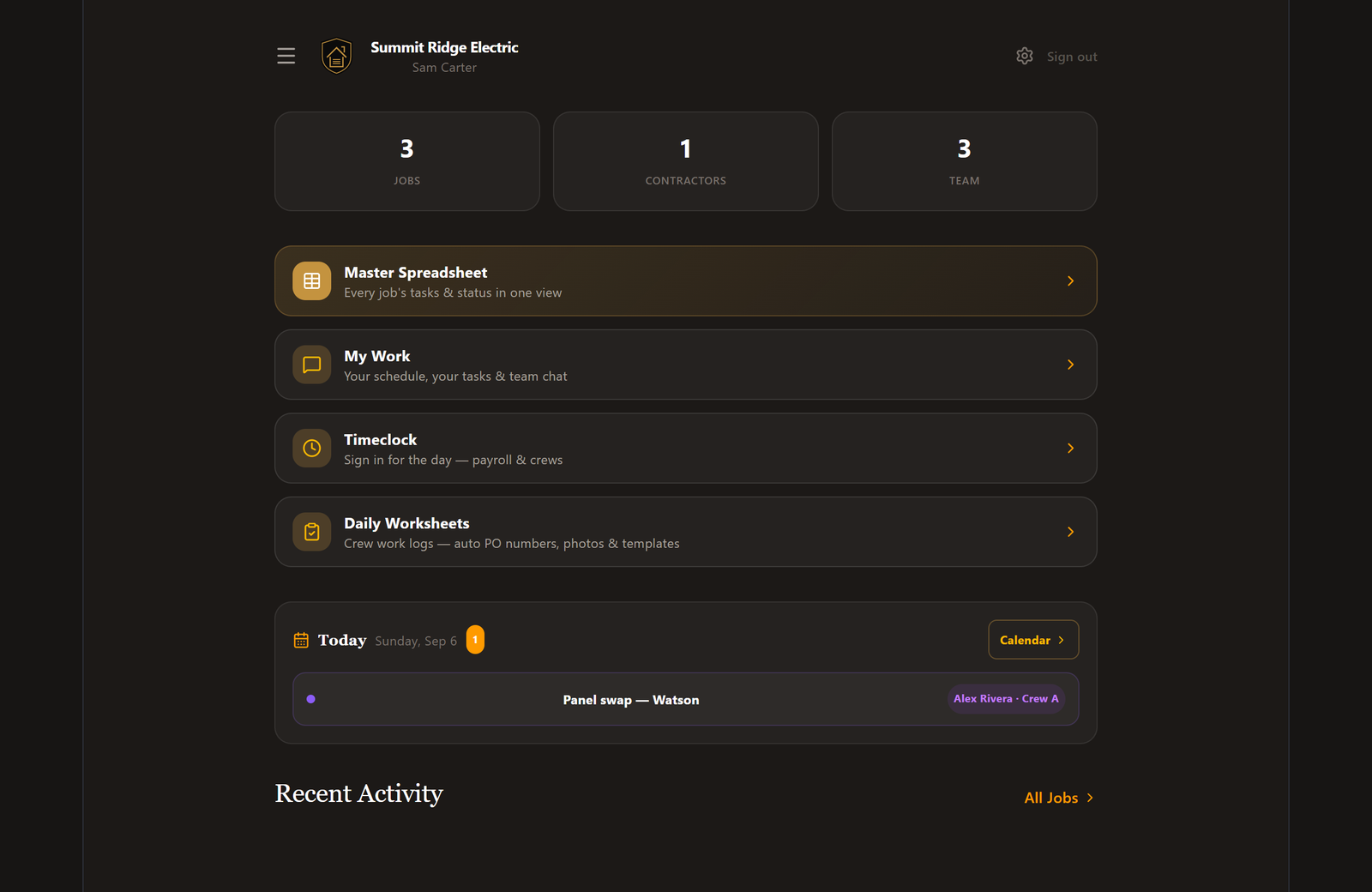
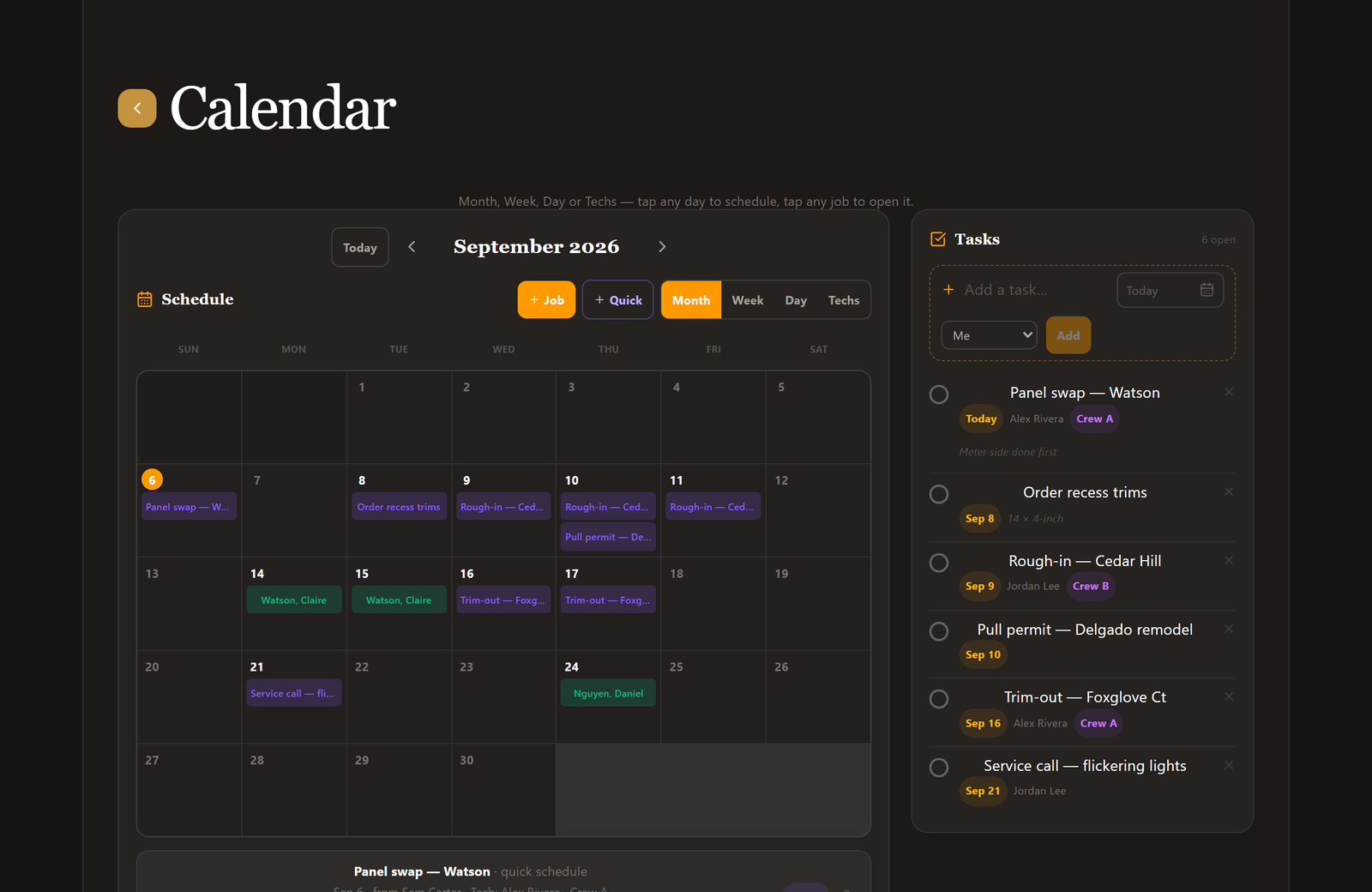
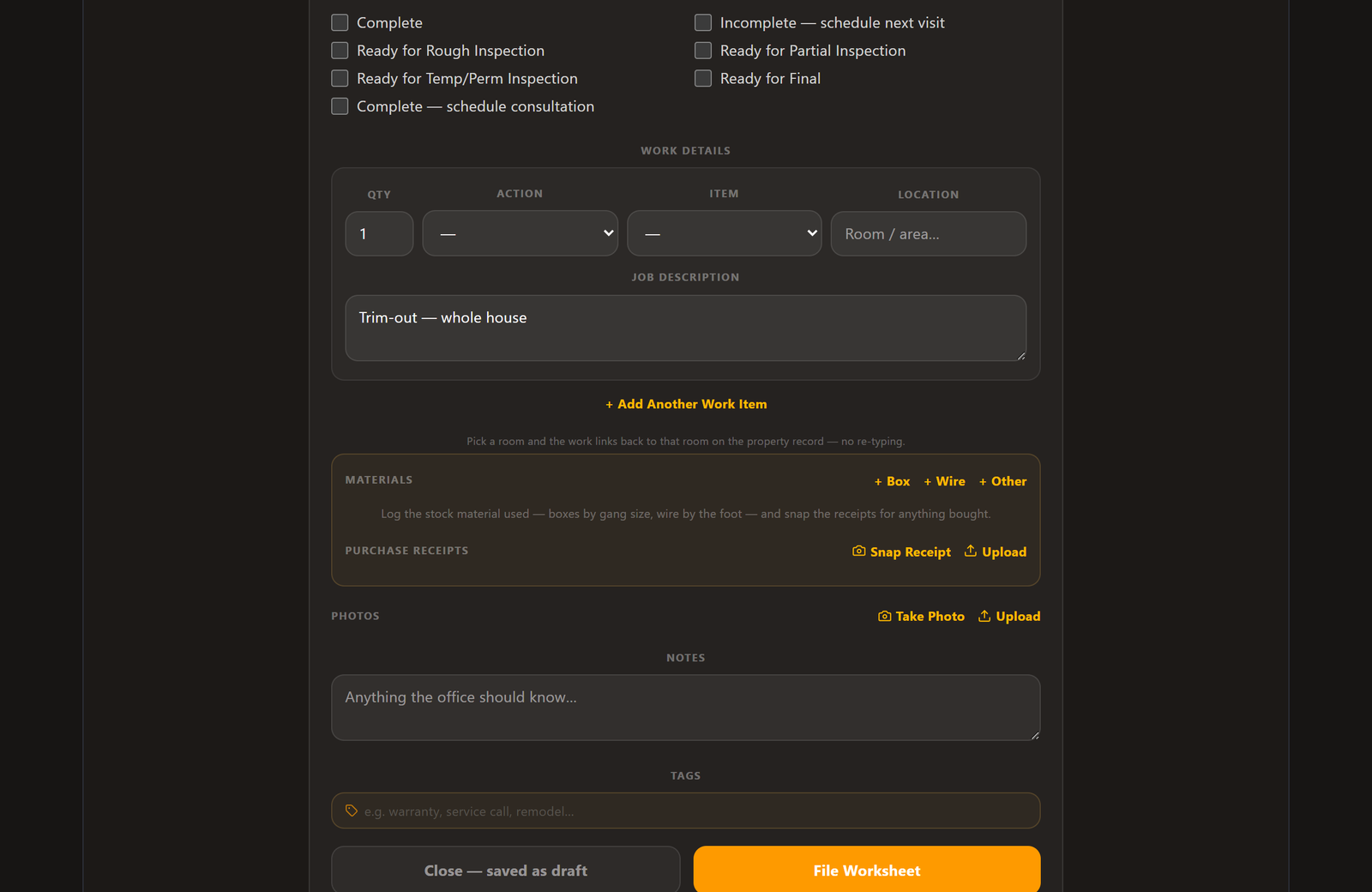
Real screens from the app — the dashboard your day starts on, the calendar your company runs on, and the worksheet your crew fills out in the truck.
Your day, on one screen
Jobs, contractors and team at a glance, the timeclock and worksheets one tap away, and today's schedule with who's assigned — before your first cup's done.
The whole month, plus the to-do list
A month grid with every job, crew and quick-scheduled task in color — and a task list beside it where anything checked off drops off the calendar by itself.
The worksheet your crew actually fills out
Work details, inspection status, materials with quick-add buttons, snapped receipts and photos — filed from the field, ready to invoice from the office.
How it works
Up and running before the coffee's cold.
1
Set up your company
Create your account, pick your trade, add your team and crews. A guided tour walks you through every screen the first time in.
2
Add customers & share jobs
Bring in your customers and contractors, then share each job with the people on it — owner, PM, subs — with the access you choose.
3
Work, file, invoice
Crews schedule, clock in and file worksheets from the field. You batch-convert them to invoices and get paid online. That's the whole loop.
For your customers
A portal your customers will actually thank you for.
Every customer gets a private link to their own property file — no account or password needed.
See and pay invoices online, with signatures on estimates and proposals
A living record of every visit, permit, photo and document
Equipment tags with QR codes — scan the water heater, see its history